

Installing apps
On OrielOS, apps come from the Store, the way they do on Windows. The Store is the only place to get them, and everything in it comes from Flathub, the largest collection of Linux apps. Each app is a Flatpak: it brings what it needs and runs apart from the system, so installing or removing one never changes OrielOS itself.
Firefox
Firefox is the only app that comes with OrielOS, and it is your web browser from the start. It isn't part of the system image; the first time OrielOS starts with an internet connection, it downloads Firefox from Flathub in the background. That usually takes a minute or two. Firefox appears in Start when it is ready, and links you open anywhere use it.
If there is no connection on the first start, OrielOS tries again every five minutes until Firefox is installed. You don't have to do anything.
Installing an app
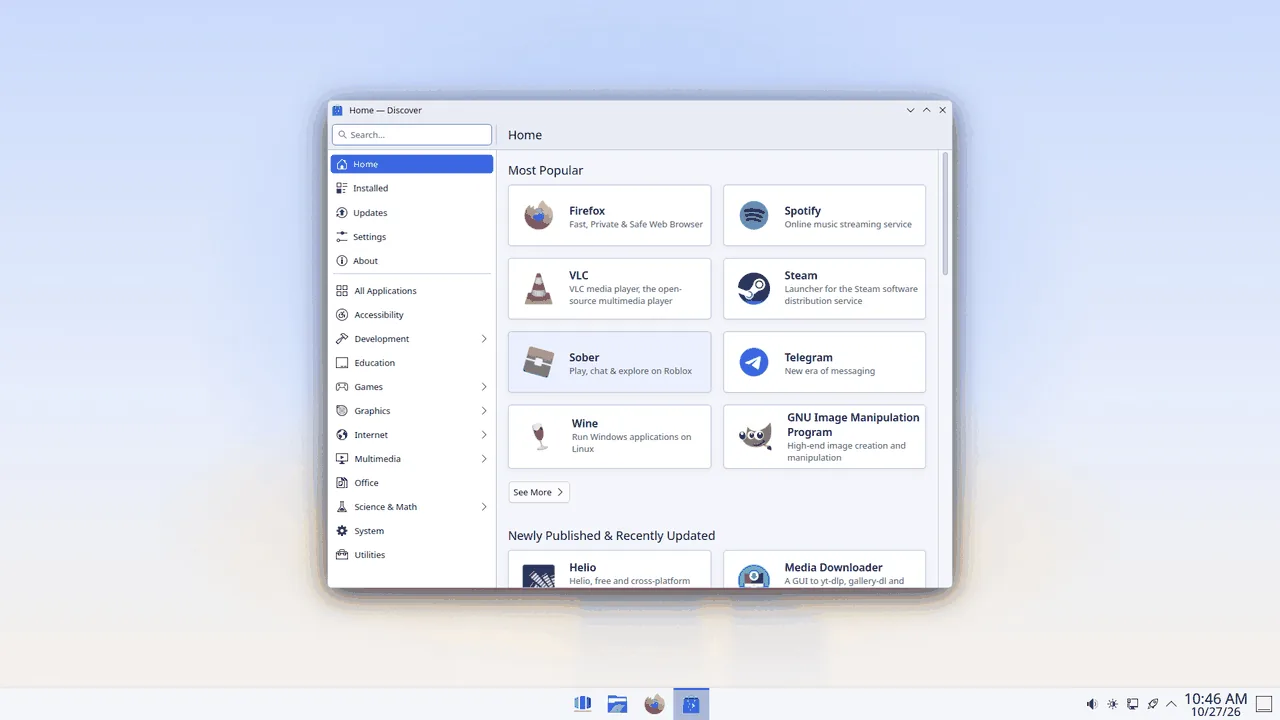
- Open the Store from Start.
- Search for the app, or browse the categories.
- Choose Install.
The app appears in Start when it is installed. Apps are installed for everyone who uses the computer.
Removing an app
Open the Store, choose Installed, find the app and choose Remove.
Updating apps
The Store shows app updates under Updates and offers to install them. Updating apps doesn't need a restart.
Fedora packages
The Store doesn't install system packages. OrielOS is updated as a whole (see Updates and going back), so there is no way to add or remove single parts of the system.